My Mitsubishi Connect
- 4.7
- Rating
- 100.00K
- Installs
- Free
- Price

 Analysis by App-foxy
Choosing a connected-car app is less about collecting another icon on your phone and more about deciding whether your vehicle’s digital services are worth using every day. I spent time looking at My Mitsubishi Connect from that practical angle: how useful it feels when you own a compatible Mitsubishi vehicle, how much effort registration adds, and whether it offers a better experience than relying on the car’s built-in controls or unrelated driving apps.
This is a free app in the Auto & Vehicles category, developed by Mitsubishi Motors Corporation. Its purpose is focused rather than broad: it lets Mitsubishi owners register for and access connected services associated with their vehicle. That narrow role is important. It is not trying to replace a general navigation app, a fuel tracker, or a universal vehicle-maintenance tool. Its value depends mainly on the relationship between your phone, your Mitsubishi, and the connected services available for that vehicle.
My overall impression is that the app makes the most sense when you want a single manufacturer-specific doorway into your car’s connected features. It is less compelling if you only need directions, reminders, or basic trip planning. The deciding question is therefore not simply whether the app is free. It is whether your Mitsubishi ownership routine benefits from having those services available away from the driver’s seat.
You May Also Like

 Google Keep - Notes and lists
Google Keep’s Quiet Growth Shows the Appeal of Simpler Notes
As mobile work gets busier, Google Keep keeps winning a simple contest: capture a thought quickly, find it later, and get on with the day.

 Blood Strike: 2.5 Anniversary
Blood Strike’s Loadouts Turn Every Drop Into a Tactical Gamble
A close look at Blood Strike’s custom loadouts: how fast access to signature weapons reshapes its battle royale rhythm, rewards preparation, and narrows the gap between fights.

 Pandora - Music & Podcasts
Pandora’s Music Is Easy to Start, but Harder to Recover
Pandora’s strength is its low-effort path from a seed to a station. Its weak spot is how much confidence it asks you to place in connection, setup, and quiet recovery.

 8 Ball Pool
 Is Built on Rivalries, Rematches, and Routine
A close look at the rivalries, rematches, shared routines, and unanswered safety questions that turn a quick pool match into a persistent mobile community.

 Samsung Music
’s Quiet Strength Is Playing What You Already Own
Its reach comes less from spectacle than from dependable access to a personal library. That simplicity is both the app’s strongest retention engine and its ceiling.

 AccuWeather: Weather Radar
AccuWeather Review: A Quick, Clear Forecast for Everyday Decisions
For everyday plans, the best forecast is the one you can understand quickly. AccuWeather makes rain timing, radar, and local conditions easy to act on, with a few trade-offs.
More From Our News Desk



What I would check before choosing it
The first decision criterion is vehicle compatibility. Because My Mitsubishi Connect is built around Mitsubishi vehicles and their connected services, I would not install it expecting a universal dashboard for any car. Before spending time on registration, I would have the vehicle identification details and ownership information close at hand, then follow the app’s setup process carefully. A connected-car account is only useful when it is attached to the correct vehicle and the correct owner profile.
The second criterion is how often you want to interact with the car remotely or manage its connected relationship from a phone. If you only drive occasionally and are happy using the key, the in-car controls, and a separate map app, the benefit may feel limited. If your driving routine involves checking the car before leaving, coordinating access with family, or keeping vehicle information close while away from it, the app becomes easier to justify.
I would also consider your phone and operating system before making it part of your routine. The app supports Android versions from 6.0 onward, which covers older devices, although a very old phone may still deliver a less comfortable experience than a current one. The current release is v2.87.10, so I would keep the app updated rather than treating the first successful installation as the end of setup.
There is a useful distinction between registration and daily use. Registering a connected service can be the most frustrating part because it involves identity, vehicle details, and account accuracy. Once that foundation is correct, the app’s appeal comes from reducing the need to remember where information is stored. My advice is to complete setup when you have the vehicle nearby, enough time to read each prompt, and access to the email or account details you intend to use.
The everyday situation where it earns its place
Imagine a cold morning when you are preparing to leave for work. Instead of walking outside immediately to check the vehicle, you open the Mitsubishi app and use the connected services available for your car. The useful part is not the drama of remote technology; it is the small reduction in uncertainty. You can make a decision before heading downstairs, which is especially convenient when the car is parked away from your home or when several people share it.
A similar benefit appears when you lend the vehicle to a family member. Rather than explaining every detail from memory, you have the manufacturer’s connected-service account as the central place to begin. I would still treat the app as a supplement to normal communication and safe driving habits, but it can make ownership feel more organized than a collection of notes, screenshots, and unrelated phone tools.
Another practical use is keeping the vehicle connection in view when you are not sitting in the driver’s seat. That can matter during travel, when the car is parked at a station or airport, or when you simply want to manage ownership tasks from the phone you already carry. The app’s strength is this continuity between the Mitsubishi in the driveway and the account in your pocket.
Where My Mitsubishi Connect feels strongest
The biggest advantage is specialization. A manufacturer app knows which brand relationship it is serving, while a general vehicle app usually has to work across many makes and models. That difference can make My Mitsubishi Connect feel more relevant for a Mitsubishi owner because the starting point is the actual vehicle rather than a generic profile.
I also like the idea of keeping registration and connected-service access together. When a car’s digital functions are spread across separate tools, it becomes easy to forget which account controls what. A dedicated Mitsubishi app gives the ownership experience a clear home. That is particularly helpful for someone who is not interested in experimenting with multiple automotive services and just wants the official route.
Its public reception supports that impression without being the only reason to choose it. The app has a 4.7 average from around 17 thousand ratings, with roughly 1.5 thousand written reviews and more than 100 thousand installs. Those figures suggest that many owners find the concept worthwhile, but they should not replace your own compatibility check. A high average can coexist with setup difficulties for particular vehicles, phones, or ownership situations.
The free price is another practical strength. There is no purchase decision at the point of installation, so you can test the registration flow and see whether the connected experience fits your routine. I would still separate “free to download” from “valuable for every owner.” The app’s usefulness comes from the services attached to your Mitsubishi, not from the installation itself.
Because the content rating is Everyone, the app is presented as suitable for a broad audience. In real use, the more important question is who controls the vehicle account. Families should decide which person handles registration and which phone receives access, rather than creating confusion with several partially completed profiles. A little organization at the beginning can prevent avoidable account problems later.
Small workflow choices that make a difference
My first tip is to treat registration as an ownership task, not a quick app download. Have the vehicle information ready, use an email address you can maintain long term, and record the login details in a secure password manager. This is more useful than repeatedly guessing which address was used months later, especially if the vehicle changes hands within a household.
My second tip is to test the app in a calm, ordinary situation before relying on it during an urgent morning. Open it while the vehicle is parked, confirm that the correct car is associated with the account, and explore the available connected-service area. That trial tells you whether the app is genuinely ready for your routine or whether another setup step still needs attention.
My third tip is to distinguish app problems from vehicle or connection problems. If a request does not appear to work, I would check the phone connection, the vehicle’s status, and whether the account is linked correctly before assuming the whole service is broken. This matters with connected-car tools because the phone is only one part of the chain. A general app can often work independently; a manufacturer service depends on the car relationship as well.
A fourth useful habit is to keep notifications purposeful. If the app offers alerts or updates associated with your connected services, I would enable only the ones that help with ownership decisions. Too many unimportant notifications can make a genuinely useful warning easier to overlook. The best connected-car setup is not the one that speaks most often; it is the one that gives you information you will actually act on.
Where another type of app may fit better
My Mitsubishi Connect is not the best answer for every automotive need. If your main goal is turn-by-turn navigation, a dedicated mapping app will usually be the more natural choice. If you want to compare fuel spending across several vehicles, a tracking or budgeting app may provide a broader view. If you own cars from different manufacturers, a multi-brand service could be more convenient than maintaining separate manufacturer accounts.
The same trade-off applies to maintenance planning. A general reminder app can be useful when you want to schedule tire changes, inspections, or insurance renewals across several vehicles and household responsibilities. My Mitsubishi Connect is more attractive when your priority is the connected relationship with one Mitsubishi, not when you want a complete personal transport database.
Owners who prefer physical controls may also decide that the app adds little. If you always have the key nearby, use the car’s own interface, and rarely need information while away from the vehicle, a dedicated connected-service app can feel like an extra layer. I would not install it just because it is official. I would install it when the distance between you and the car creates a real convenience.
There is also a learning curve that generic apps avoid. A universal tool may ask you to enter information once and then offer a familiar set of features across vehicles. A manufacturer-specific app asks you to understand its account and vehicle relationship. That can be worthwhile for a Mitsubishi owner, but it is a trade-off rather than a free improvement in every situation.
What switching to it really involves
Switching from informal ownership habits to My Mitsubishi Connect does not usually mean abandoning every other driving app. I see it as adding an official layer for Mitsubishi-connected services while continuing to use the tools that already handle maps, messages, or household planning. The cost is mostly attention: registration, account maintenance, permissions you choose to grant, and the habit of opening one more app when the situation calls for it.
The transition is easiest if you define one job for the app first. For example, use it as the place for vehicle-connected access, while leaving route planning to your preferred map application. This prevents the common mistake of expecting one manufacturer tool to replace every automotive app. Once that division is clear, the app feels less like competition for your existing tools and more like a dedicated control point.
For a shared vehicle, switching also involves agreeing on account ownership. I would choose one primary account holder, then decide how other drivers should participate without creating duplicate registrations. This is a small administrative decision, but it can save time later. A connected service is easier to trust when everyone knows which account represents the vehicle.
When changing phones, I would reinstall the app before deleting access to the old device and confirm that the account still identifies the right vehicle. Keeping login details secure is more important than relying on the phone’s remembered session. This is one of those unglamorous steps that makes a connected-car service less stressful over the long term.
My recommendation for different Mitsubishi owners
I recommend My Mitsubishi Connect to Mitsubishi owners whose vehicles support its connected services and who want an official way to manage that relationship from a phone. It is especially suitable for people who park away from home, share a vehicle, or appreciate checking vehicle-related information before walking outside. The app’s free entry point and focused purpose make it easy to try without committing to a new paid service.
I would be more cautious if you are buying a used Mitsubishi and do not yet know whether the connected-service registration will transfer smoothly to your ownership situation. In that case, confirm the account and vehicle setup during the handover rather than assuming the previous owner’s arrangement will simply continue. The app may still be useful, but the quality of the experience depends on clean ownership details.
I would also skip it if you want a single app for every car, every route, and every maintenance reminder. My Mitsubishi Connect is not designed around that broad ambition. A multi-brand automotive platform or a combination of navigation and reminder tools may suit you better. Choosing the narrower tool is sensible only when its narrow focus matches your actual need.
For me, the strongest reason to use it is not that it replaces other apps. It is that it gives a Mitsubishi owner a manufacturer-specific place to begin when the car needs to be connected to the phone. The real benefit is dependable access to the right vehicle relationship, not a larger pile of automotive features.
My final judgment is positive but conditional. Mitsubishi Motors Corporation has made a focused Auto & Vehicles app that is free, broadly accessible, and well regarded by its user base. It has been available since February 9, 2018, and the current v2.87.10 release shows that it remains an active part of the company’s connected-car offering. I would install it when my Mitsubishi supports the relevant services and I expect to use them beyond the occasional novelty.
If that describes you, begin with careful registration, test the connection while the car is parked, and keep the app’s role separate from navigation or general reminders. If it does not describe you, there is no need to force it into your routine. For the right Mitsubishi owner, My Mitsubishi Connect is a sensible official companion; for everyone else, its specialized design is precisely why a different category of app may be the better choice.
FAQs for My Mitsubishi Connect
01What features does My Mitsubishi Connect offer?
My Mitsubishi Connect provides a wide range of features to enhance your driving experience. It includes remote services such as locking and unlocking doors, vehicle status checks, and vehicle locator. Additionally, it offers safety and security features like automatic collision notification and SOS emergency assistance, making it a comprehensive tool for Mitsubishi owners.
02Is My Mitsubishi Connect compatible with all Mitsubishi vehicles?
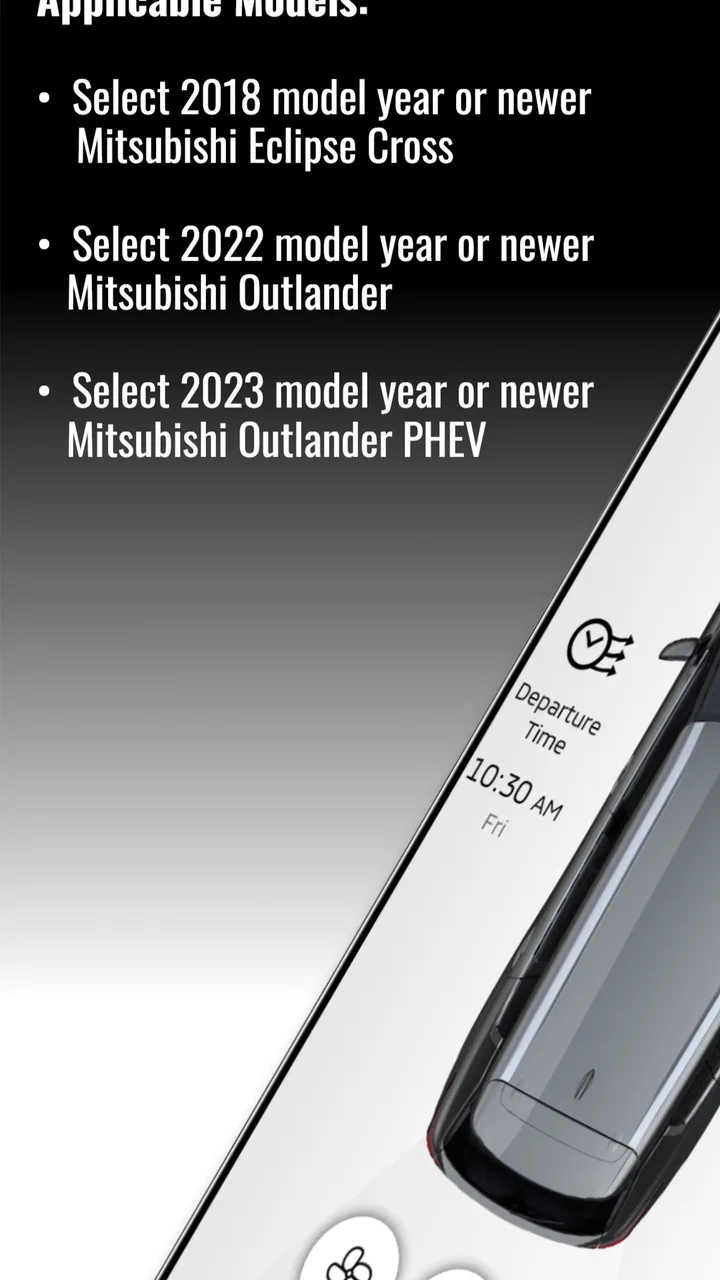
My Mitsubishi Connect is compatible with select Mitsubishi models equipped with the necessary telematics hardware. It is important to verify if your specific model supports the app by consulting your vehicle’s user manual or contacting a local Mitsubishi dealer for detailed compatibility information.
03How does My Mitsubishi Connect ensure user privacy and data security?
My Mitsubishi Connect prioritizes user privacy and data security by employing advanced encryption methods and secure servers to protect personal information. Mitsubishi follows strict privacy policies and complies with industry standards to ensure that sensitive data such as location and driving habits are safeguarded and only used for intended purposes.
04Does My Mitsubishi Connect require a subscription?
Yes, My Mitsubishi Connect offers subscription plans that provide access to its suite of services. After an initial complimentary period, users will need to choose a subscription plan to continue using features like remote services and safety alerts. It’s advisable to check the app for the latest pricing and plan details.
05How can I troubleshoot issues with My Mitsubishi Connect?
If you encounter issues with My Mitsubishi Connect, start by checking your internet connection and ensuring the app is updated to the latest version. For persistent problems, consult the app’s help section or contact Mitsubishi customer support for assistance. They can provide guidance and help resolve any technical difficulties.
Pros
- User-friendly interface for easy navigation.
- Real-time vehicle status updates.
- Convenient remote control features.
- Seamless integration with smart devices.
- Comprehensive trip history tracking.
Cons
- Limited functionality outside supported regions.
- Subscription may be required for premium features.
- Occasional connectivity issues reported.
- Compatibility limited to newer vehicle models.
- App size may require significant storage space.

My Mitsubishi Connect
Gallery